



Gifting
&
eBook Guide
Purchasing and Printing Your eBook
Step into a beautifully crafted experience where magical stories are not only read, but thoughtfully enjoyed, shared, and treasured. From instant access to elegant gifting and the creation of keepsake storybooks, this guide invites you to experience your eBooks in a way that feels both effortless and truly special.
How to Purchase Your eBook
Purchasing your eBook is simple, seamless, and designed to bring you instant access to your magical story.
- Select your desired eBook or bundle
- Click the purchase button and complete checkout securely
- Receive your download link instantly on the confirmation page and by email
- Download your eBook to your device
- Open and enjoy your story anytime, anywhere
How to Print Your eBook for a Beautiful Experience
If you prefer a more traditional, hands-on experience, you can easily print your eBook at home and create your own keepsake.
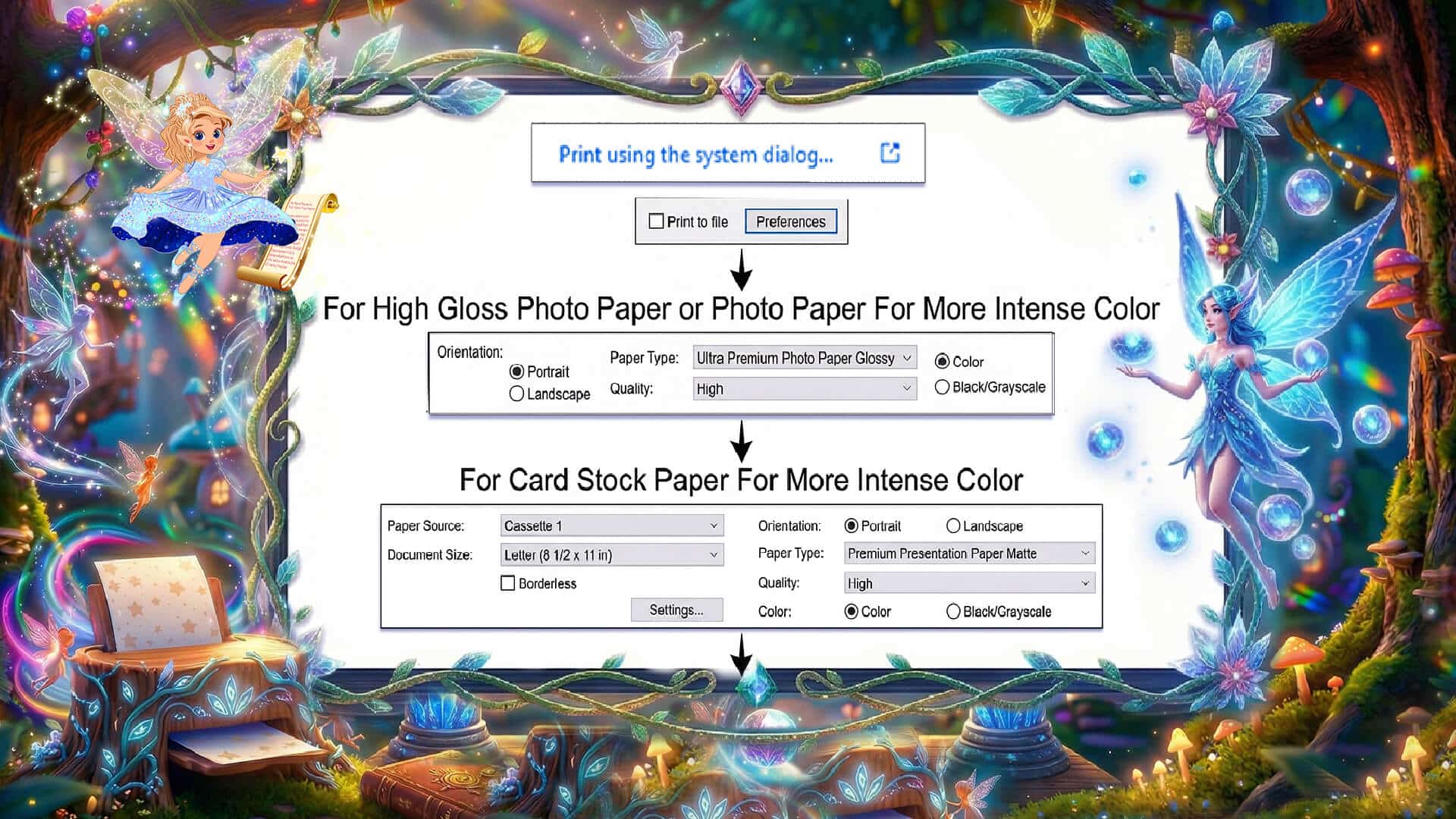
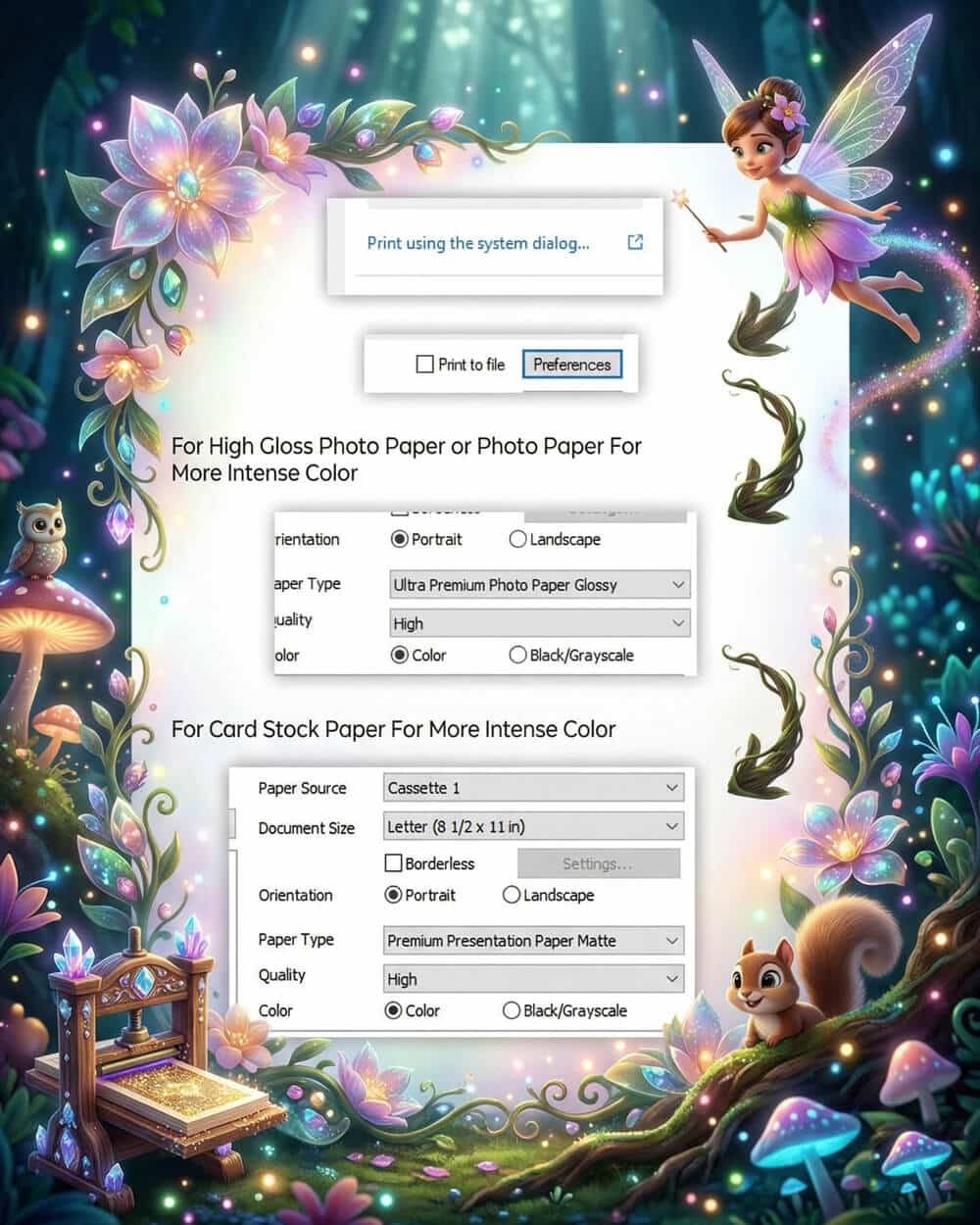
- Open your downloaded eBook file
- Go to your printer settings and select “Properties” or “Preferences”
- Choose high-quality paper for a richer, more luxurious feel
- Select high-quality ink or best print settings on your printer
- Print your pages and enjoy your story in a beautifully tangible way.
Optional Finishing Touch
For an even more special experience, consider placing your printed pages in a binder or folder to create your own personal storybook.
- Instant download
- Easy to print
- Works on all devices
A Beautifully Simple Way to Gift a Story
Sharing a magical story is a thoughtful and meaningful way to celebrate Easter, special occasions, or simply let someone know you are thinking of them. Our eBooks and bundles make elegant digital gifts that can be given instantly and enjoyed right away.
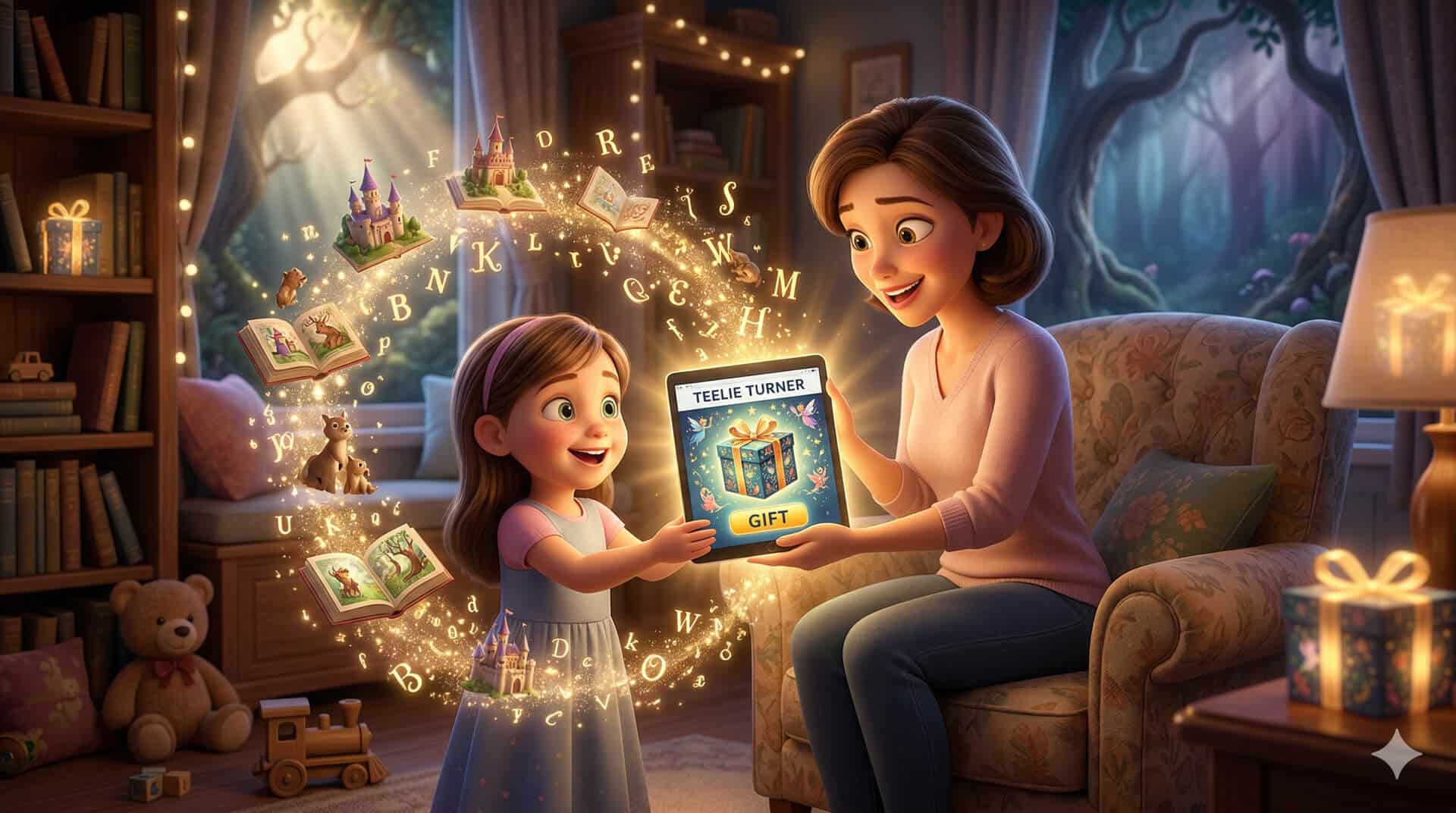
How to Gift an eBook or Bundle
Purchasing your eBook is simple, seamless, and designed to bring you instant access to your magical story.
- Choose the eBook or bundle you would like to give
- Complete your purchase securely through checkout
- Download the eBook or bundle to your device
- Save the file so it is easy to locate
- Send it to your recipient by email or share it in the way that feels most special
- Add a personal note to make the gift feel even more meaningful
- Let them know they can enjoy it digitally or print it for a more traditional experience
Create a Truly Memorable Keepsake Gift
For an even more special experience, your eBook can be transformed into a beautiful keepsake—something to hold, cherish, and revisit again and again.
How to Turn Your eBook Into a Keepsake
- Download your eBook after purchase
- Print the pages using high-quality paper and print settings
- Place the pages in a binder, folder, or have them professionally bound
- Add a handwritten message inside the front page
- Present your storybook as a thoughtful, one-of-a-kind gift
A Thoughtful Finishing Touch
To make your gift even more meaningful, consider adding a note such as:
“A little magic, just for you”
“May this story bring you joy and wonder”
“A keepsake filled with imagination and love”
“Because every story is better when it’s shared”
Turn a simple story into a lasting memory.
- Instant download
- Easy to print
- Works on all devices
Contact us at: press@teelieturnerauthor.com